 Cybersecurity
Checklist for Better Digital Offboarding of Employees
Digital footprints cover today’s modern workplace. Employees begin making these the moment they’re hired. They get a company email address and application logins. They may even update their LinkedIn page to connect to your company.
When an employee leaves a company, there is a process that needs to happen. This is the process of “decoupling” the employee from the company’s technology assets. This digital offboarding is vital to cybersecurity.
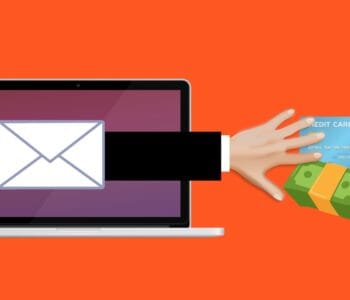
You don’t want a former employee to maliciously email all your customers from their work email. Sensitive files left on a former staffer’s computer could leak months later.
20% of surveyed businesses have experienced a data breach connected to a former employee.
Digital offboarding entails revoking privileges to company data, and much more. This is a critical process to go through for each former staff member to reduce risk.
Below, we’ve provided a handy checklist to help you cover all your bases.
Your Digital Offboarding Checklist
Knowledge Transfer
Vast corporate knowledge can disappear when a person leaves an organization. It’s important to capture this during a digital offboarding process.
This could be something as simple as what social media app someone used for company posts. Or it may be productivity leveraging. Such as the best way to enter the sales data into the CRM.
Make sure to do a knowledge download with an employee during the exit interview. Better yet, have all staff regularly document procedures and workflows. This makes the knowledge available if the employee is ever not there to perform those tasks.
Address Social Media Connections to the Company
Address any social media connections to the former employee. Is their personal Facebook user account an admin for your company’s Facebook page? Do they post on your corporate LinkedIn page?
Identify All Apps & Logins the Person Has Been Using for Work
Hopefully, your HR or IT department will have a list of all the apps and website logins that an employee has. But you can’t assume this. Employees often use unauthorized cloud apps to do their work. This is usually done without realizing the security consequences.
Make sure you know of any apps that the employee may have used for business activities. You will need to address these. Either change the login if you plan to continue using them. Or you may want to close them altogether after exporting company data.
Change Email Password
Changing the employee’s email password should be one of the first things you do. This keeps a former employee from getting company information. It also keeps them from emailing as a representative of the company.
Accounts are typically not closed immediately because emails need to be stored. But you should change the password to ensure the employee no longer has access.
Change Employee Passwords for Cloud Business Apps
Change all other app passwords. Remember that people often access business apps on personal devices. So, just because they can’t access their work computer any longer, doesn’t mean they can’t access their old accounts.
Changing the passwords locks them out no matter what device they are using. You can simplify the process with a single sign-on solution.
Recover Any Company Devices
Make sure to recover any company-owned devices from the employee’s home. Remote employees are often issued equipment to use.
You should do this as soon as possible to avoid loss of the equipment. Once people no longer work for a company, they may sell, give away, or trash devices.
Recover Data on Employee Personal Devices
Many companies use a bring your own device (BYOD) policy. It saves them money, but this can make offboarding more difficult.
You need to ensure you’ve captured all company data on those devices. If you don’t already have a backup policy in place for this, now is a good time to create one.
Transfer Data Ownership & Close Employee Accounts
Don’t keep old employee cloud accounts open indefinitely. Choose a user account to transfer their data to and then close the account. Leaving unused employee accounts open is an invitation to a hacker. With no one monitoring the account, breaches can happen. A criminal could gain access and steal data for months unnoticed.
Revoke Access by Employee’s Devices to Your Apps and Network
Using an endpoint device management system, you can easily revoke device access. Remove the former employee’s device from any approved device list in your system.
Change Any Building Digital Passcodes
Don’t forget about physical access to your building. If you have any digital gate or door passcodes, be sure to change these so the person can no longer gain access.
Need Help Reducing Offboarding Security Risk?
When you proactively address digital offboarding, the process is easier and less risky. Contact us today for a free consultation to enhance your cybersecurity.
This Article has been Republished with Permission from .