 Cybersecurity
9 Urgent Security Tips for Online Holiday Shopping
The holiday shopping season is taking off. This means that scammers have also revved up their engines. They’re primed and ready to take advantage of all those online transactions.
Don’t forget to stay safe online during the buying frenzy that occurs this time of year. An ounce of cybersecurity prevention is definitely worth a pound of cure. It can also save you from a financial or privacy nightmare.
Here are some of the most critical safety tips to improve your online holiday shopping.
Check for Device Updates Before You Shop
Computers, tablets, and smartphones that have old software are vulnerable. While you may not want to wait through a 10-minute iPhone update, it’s going to keep you more secure.
Hackers often use vulnerabilities found in device operating systems. Updates install patches for known vulnerabilities, reducing your risk. Make sure to install all updates before you use your device for online holiday shopping.
Don’t Go to Websites from Email Links
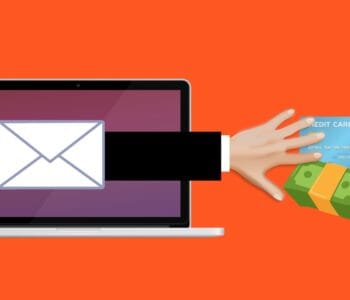
Yes, it’s annoying to have to type in “amazon.com” rather than just clicking a link in an email. But phishing scams are at an all-time high this time of year. If you click on an email link to a malicious site, it can start an auto download of malware.
It’s best to avoid clicking links, instead visit the website directly. If you want to make things easier, save sites as shopping bookmarks in your browser. This is safer than clicking a text or email link.
Use a Wallet App Where Possible
It’s always a risk when you give your debit or credit card to a website. The risk is even higher if you’re doing holiday shopping on a site you haven’t purchased from before.
Where possible, buy using a wallet app or PayPal. This eliminates the need to give your payment card details directly to the merchant. Instead, you share them with the wallet app service (Apple Pay, Google Pay, PayPal, etc.). But the retailer doesn’t get them.
Remove Any Saved Payment Cards After Checking Out
There are many websites (including Amazon) that automatically save your payment card details. This is bad. Yes, it may make the next buy more convenient, but it puts you at risk. A hacker with access to your device or account could make purchases.
There is also the risk of a data breach of the retailer. These are common and can leak sensitive customer payment information. The fewer databases you allow to store your payment details, the better for your security.
Immediately after you check out, remove your payment card from the site. You will usually need to go to your account settings to do this.
Make Sure the Site Uses HTTPS (Emphasis on “S”)
HTTPS has largely become the standard for websites now. This is instead of “HTTP” without the “S” on the end. HTTPS means that a website encrypts the data transmitted through the site. Such as your name, address, and payment information.
You should NEVER shop on a website that doesn’t use HTTPS in the address bar. An extra indicator is a small lock icon in front of the website address.
Double Check the Site URL
We all make typos from time to time. Especially when typing on a small smartphone screen. One typo can land you on a copycat site (such as Amazonn(dot)com).
Hackers buy domains that are close to the real ones for popular retailers. Then, they put up copycat sites designed to fool users that make a mistake when typing the URL.
Take those extra few seconds to double-check that you’ve landed on the correct website. Do this before you start shopping.
Never Shop Online When on Public Wi-Fi
When you connect your device to public Wi-Fi, you might as well expect a stranger to be stalking you. Hackers LOVE the holiday shopping season and will hang out in popular public Wi-Fi spots.
They spy on the activities of other devices connected to that same free hotspot. This can give them access to everything you type in. Such as passwords and credit card information.
Never shop online when you’re connected to a public Wi-Fi network. Instead, switch off Wi-Fi and move to your mobile carrier’s connection.
Be On High Alert for Brand Impersonation Emails & Texts
Phishing scammers were very active during the holiday shopping season of 2021. There was a 397% increase in typo-squatting domains connected to phishing attacks.
While you need to be careful all the time about phishing, it’s even worse during the holiday season. Attackers know that people are expecting retailer holiday sales emails. They also get a flurry of order confirmations and shipping notices this time of year.
Hackers use these emails as templates. They impersonate brands like Target, UPS, Amazon, and others. Their emails look nearly identical to the real thing. They trick you to get you to click and/or log in to a malicious website.
Be on high alert for brand impersonation emails. This is another reason why it’s always better to go to a site directly, rather than by using an email link.
Enable Banking Alerts & Check Your Account
Check your bank account regularly. Look for any suspicious charges that could signal a breach. One way to automate a monitoring process is to set up banking alerts through your online banking app.
For example, many banks allow you to set up alerts for events such as:
- When a purchase occurs over a specified dollar amount
- When a purchase occurs from outside the country
How Secure Is Your Mobile Device?
Mobile malware is often deployed in holiday shopping scams. How secure is your device from malicious apps and malware? Contact us today for a security checkup.
This Article has been Republished with Permission from .