 Cybersecurity
Protect Yourself: 8 Steps to Take When You Get…
When it happens, you feel powerless. You get an email or letter from a business saying someone breached your data. It happens all too often today.
Data breaches happen at banks, online sites like Facebook, and ecommerce stores. Not only that, but governments are also victims. This leaves things like your address, SSN, and credit card details exposed to thieves.
A business getting hacked is something you have little control over. But you can take important steps afterwards. We’ve outlined the most important things to do below. These steps can help you mitigate the financial losses.
Change Your Passwords
The very first thing you should do is change your passwords. Change the password for the service that sent you the breach notification first. Then, change it for any logins using the same password.
This is one of the reasons it’s a best practice to use unique logins for every site. Many people get in the habit of using the same password in several places. This leaves more than the single breached login at risk. Use a password manager to help you create strong passwords. You only need to remember one to access all the others.
Enable Multifactor Authentication (MFA)
Multifactor authentication can keep accounts secure, even if a hacker stole the password. Enable it for the breached service. Then, ensure you have MFA activated for all other logins, where possible. MFA is also called two-factor authentication or two-step verification.
Common forms of MFA are:
- Text message
- Authentication app
- Security key
Check Your Bank Accounts
If payment card details were breached, check bank accounts. You’ll want to watch these for several weeks for fraudulent charges. Report the breach to your bank to have them issue you a new card, if needed.
Notify your bank about the 3rd party data breach. This can help keep you from being held responsible for fraudulent charges. It’s good to get out ahead of it. Your bank can then help you with appropriate steps to avoid fraud.
Freeze Your Credit
Online criminals will often sell breached personal details. These details can enable someone to take out credit in your name. Contact the three credit agencies. They each have ways to freeze your credit to protect you. You can do this right on their websites.
The three credit agencies are:
Carefully Review the Breach Notification
It’s important to understand exactly how the data breach may impact you. Review the notice you received. Additionally, look for updates on the company website.
These are the things you should be looking for:
- The type of data exposed (passwords, card numbers, etc.)
- What reparations the company is making (e.g., credit monitoring)
- Any instructions given to secure your account
Regularly check the company’s website. Often, they don’t immediately know how far reaching the breach is. You may check back later and find out other types of sensitive data were exposed.
Get Good Cybersecurity Protections
Make sure you protect your device and network. There are some simple tools you can use to beef up personal device security. These include:
- A good antivirus/anti-malware program
- DNS filtering to block malicious sites
- Email spam filtering for phishing
Another good protection you can use is a VPN. This helps mask your traffic. It is especially helpful if you’re using a public Wi-Fi. VPNs are easy to use. You can use VPNs for both computers and mobile devices.
Be On the Lookout for Phishing Scams
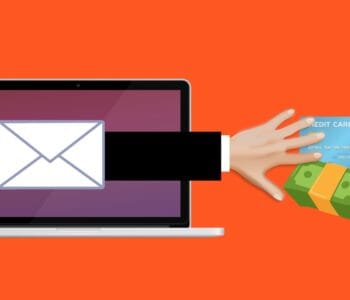
Emails are often exposed in data breaches. This means you may receive an uptick in phishing emails. Phishing is very convincing since criminals have AI at their disposal. Phishing emails often are hard to spot from the real thing.
Stay ultra-aware of any unexpected emails. Follow best practices to avoid becoming a phishing victim:
- Hover over links to see them
- Go to websites directly. Don’t click email or SMS links
- Beware of unknown senders
- Watch for phishing on social media and text messages
- When in doubt, double check through an official source
Make Sure to Update Software & Systems
Hackers often exploit unpatched vulnerabilities. How do you get unpatched vulnerabilities? Most times it’s from failing to keep software updated.
Make sure to update your device operating system. Update all apps or software on your devices. Update firmware for routers and printers. Update firmware for smart devices.
There are so many updates we need to do with our electronics. Automating your updates is a good way to stay protected.
Managed Security Services You Can Count On
Managed services can keep you protected at work and home. Need help improving device security? We’ll be happy to discuss our options.
Contact us today to schedule a chat about device security.
—
This Article has been Republished with Permission from The Technology Press.