 Cybersecurity
How to Spot a Scam Email Now That They…
Summary: Scammers now use AI to write their phishing emails, so the spelling and grammar mistakes that used to give them away are gone. The UK’s National Cyber Security Centre and the FBI both warn that AI makes these messages cleaner, more personal, and harder to spot. The way to catch them now is to look at what an email is asking you to do, because the writing no longer gives anything away.
For years, the advice for spotting a scam email was simple: look for bad spelling and clumsy grammar. A real bank or supplier writes properly, the thinking went, so a message full of mistakes was probably fake. It was easy to teach, and for a long time it worked.
It doesn’t anymore. Scammers now use AI to write their emails, and AI writes cleanly. The typos and awkward phrasing that used to give phishing away are gone, and the messages landing in your team’s inbox read as well as anything from a real company. Worse, they can be written to sound like they came from someone you already know.
Why the old advice stopped working
The spelling-and-grammar tell worked because a lot of scammers were writing in a language that wasn’t their own, and the mistakes showed. AI took that away.
The UK’s National Cyber Security Centre says generative AI can now create convincing phishing lures “without the translation, spelling and grammatical mistakes that often reveal phishing.” The FBI says the same: criminals use AI to limit the grammar and spelling errors that used to mark a message as fake, so it reads as believable. That means the one thing most people were trained to look for no longer tells you much.
Why these emails are so convincing now
- The writing is clean. A scam email reads like a normal business email, because a machine wrote it in seconds, in whatever tone the attacker asked for.
- It’s personal. Attackers can feed public details about your company into an AI tool, pulled from your website, your team’s LinkedIn profiles, or a press release, and get a message tailored to you: the right names, the right job titles, and a believable reason to be in touch.
- There’s more of it. AI makes each message faster to produce, so attackers send far more. The FBI’s Internet Crime Complaint Center added a section on AI to its annual report for the first time, tied to more than 22,000 complaints and nearly $893 million in reported losses.
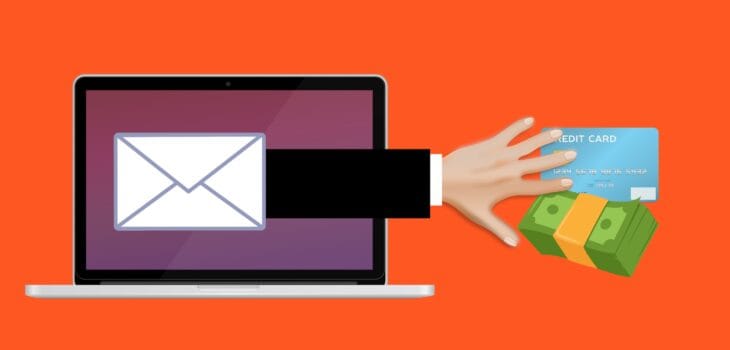
These days, the scam email isn’t the obvious one anymore. Instead of “Dear customer, your account is suspended,” someone in your finance team gets a message that looks like it’s from a supplier they really deal with, mentions a real project, and asks to update the bank details for the next invoice. It reads exactly like a real supplier email. The only thing wrong is that the supplier never sent it.
Your spam filter won’t catch them all
It’s tempting to assume your email security will handle this. It catches a lot, and you should keep it switched on. But a well-written, personalized email that asks a normal-sounding question doesn’t always look dangerous to a filter, especially when it carries no obvious bad link or attachment. Both the NCSC and the FBI expect AI to push more of these messages through, which is why the last line of defense is a person who knows what to check.
It’s not just email anymore
AI has done the same thing to phone calls and texts. The FBI warns that criminals can clone a voice from a short audio clip, enough to leave a voicemail that sounds like your boss or a family member asking for an urgent payment. The same thing that makes AI emails so convincing makes AI phone scams convincing too. The defense is the same: if a call or voicemail asks for money or logins, hang up and call the person back on a number you already have.
Here are the signs you should still pay attention to
If you can’t trust how an email is written, look at what it’s asking you to do. That’s where the real warning signs are, and AI hasn’t changed them:
- It asks for money, gift cards, or a payment to a new account.
- It asks for a login, a verification code, or personal details.
- It creates pressure: a deadline, a threat, or a “do this now.”
- It asks you to change the bank details for an invoice or a supplier.
- It comes with a link or attachment you weren’t expecting.
- The display name looks right, but the actual email address doesn’t match it.
Every one of these is about what the email is asking for. So the rule to teach your team is simple: when a message is about money, logins, or how you pay someone, slow down before you act.
How to protect your team
- Check money and login requests another way. If an email asks you to pay a new account or change a supplier’s bank details, call the person on a number you already have. Don’t reply to the email or use a number it gives you.
- Stop telling staff to watch for bad spelling. Tell them to look at what the email is asking for, and to slow down when it’s about money or logins.
- Make one rule for payment changes: confirm every change to bank details by phone, even when it’s urgent.
- Turn on phishing-resistant MFA or passkeys, so a stolen password is harder to use even if someone gets tricked.
- Make it easy to report a suspicious email and make sure nobody feels silly for checking.
- Remind the team now and then that scam emails look perfect these days. A quick five-minute chat beats a poster nobody reads.
Frequently asked questions
Can you still spot a phishing email by bad spelling and grammar?
Not reliably. Attackers use AI to write clean, correct emails now, so a message with perfect spelling can still be a scam. Judge it by what it asks you to do.
What are the warning signs that still work?
The request itself: paying money, changing bank details, sharing a login or code, or being pushed to act urgently. Those signs don’t depend on how the email reads.
Is AI-generated phishing really more effective?
Yes. The NCSC and the FBI have both warned that AI makes phishing more convincing and more personal, and the FBI has tied AI to tens of thousands of fraud complaints and hundreds of millions in losses. Cleaner, tailored messages get opened and clicked more often.
Will my spam filter stop AI phishing?
It will catch a lot, and you should keep it on. But a well-written, personalized email with no obvious bad link can still look legitimate to a filter, so don’t rely on it alone. A trained person is the backstop.
What should staff do if they aren’t sure about a message?
Slow down and check through a channel they trust, like calling a known number or asking the person directly. And report it, even if it turns out to be genuine.
Sources and further reading
• NCSC: The near-term impact of AI on the cyber threat — the UK cyber agency on AI producing phishing lures without the usual spelling and grammar mistakes.
• FBI IC3: Criminals Use Generative AI to Facilitate Financial Fraud — how criminals use AI-generated text and cloned voices, and how it removes the usual signs of fraud.
If you’d like help teaching your team what to watch for, or turning on phishing-resistant logins so a fooled password doesn’t turn into a break-in, your IT provider can set both up. And if you don’t have an IT provider, feel free to reach out to us and we’ll help you sort it.
—
This Article has been Republished with Permission from The Technology Press.