 Cybersecurity
Cybersecurity Awareness Month: Strengthening Your Team’s Defense with Essential…
As technology continues to advance, so does the need for heightened awareness. As well as proactive measures to safeguard sensitive information.
Cybersecurity can seem like an insurmountable task for everyday people. But it’s not only a job for the IT team. Everyone can play a part in keeping their organization’s data safe. Not to mention their own data.
October is Cybersecurity Awareness Month. It serves as a timely reminder that there are many ways to safeguard data. Following the basics can make a big difference in how secure your network remains.
What Is Cybersecurity Awareness Month?
Cybersecurity Awareness Month (CAM) is an annual initiative held every October. It promotes cybersecurity awareness and education. It aims to empower individuals and organizations by giving them knowledge and resources. It helps people strengthen their defenses against cyber threats.
CAM started as a U.S. initiative, National Cybersecurity Awareness Month. Then, it quickly spread around the globe. It’s led by two agencies:
- National Cyber Security Alliance (NCSA)
- Cybersecurity and Infrastructure Security Agency (CISA)
This collaborative effort involves various stakeholders. Government agencies, industry leaders, and cybersecurity experts all come together. The goal is to raise awareness about cyber risks and best practices.
This Year’s Theme
This is CAM’s 20th year. To celebrate, the theme revolves around looking at how far cybersecurity has come. As well as how far it has to go. This year, CAM focuses on four key best practices of cybersecurity.
These are:
- Enabling multi-factor authentication
- Using strong passwords and a password manager
- Updating software
- Recognizing and reporting phishing
Let’s take a closer look at these four best practices of good cyber hygiene.
Essential Cyber Hygiene: 4 Keys to a Strong Defense
Central to Cybersecurity Awareness Month is the promotion of essential cyber hygiene practices. We follow good hygiene to maintain physical health. For example, we brush our teeth every day.
Cybersecurity also requires ongoing good hygiene practices to secure the online environment. These practices form the foundation of a strong cybersecurity defense. They help both individuals and organizations.
Enabling Multi-Factor Authentication (MFA)
Implementing Multi-Factor Authentication (MFA) adds a vital layer of security to all logins. In most cases, a hacker can’t breach an account protected by MFA. This is the case even if the cyber crook has the password.
According to Microsoft, MFA can block 99.9% of attempted account compromise attacks. With that strong track record, everyone really should be using it. And using it on every login they have.
Strong Passwords & a Password Manager
Passwords remain a critical aspect of securing online accounts. Despite the increased use of biometrics, passwords still rule. Encourage your team members to use strong, unique passwords for each account. Avoid easily guessable information like birthdays or names.
Companies can help by setting strong password enforcement rules. This requires a strong password before it’s accepted in a system. For example, you may set up a policy that requires a password to have:
- At least 12 characters
- At least 1 upper case letter
- At least 1 lower case letter
- At least 1 number
- At least 1 symbol
Updating Software
Outdated software creates vulnerabilities that cybercriminals can exploit. Regularly update operating systems, applications, and firmware. This ensures the latest security patches are in place.
Automating updates is a good way to ensure they’re done promptly. Companies can use endpoint device managers to handle updates across all employee devices. Managers like Intune simplify the process and enhance endpoint security.
Recognizing and Reporting Phishing
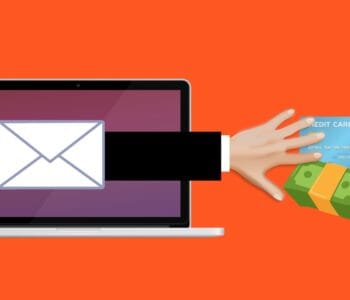
Phishing attacks are a common vector for cyber threats. Train your team to identify phishing emails, suspicious links, and unsolicited attachments. Encourage them to verify the sender’s email address. As well as never provide sensitive information unless certain of the recipient’s authenticity.
It’s also important to educate employees about phishing beyond email. Phishing via text messages has been increasing significantly. Some criminals phish via direct messages on social media platforms.
Another important aspect of phishing awareness is to report phishing. If it’s reported, then other employees know to avoid that phishing trap. The organization’s IT team also needs to know so they can take action to mitigate the threat. Be sure to let employees know how they can report a phishing email when they suspect one.
We Can Help You Put the Best Cyber Hygiene Practices in Place
CAM offers a valuable opportunity to refocus on the significance of cybersecurity. As well as prioritizing essential cyber hygiene practices. Building a culture of cybersecurity awareness within your team is important. It can be the difference between vulnerability and resilience.
Need some help ensuring a more secure and resilient future? Our team of experts can get you going on the basics. Once those are in place, your organization will be more productive and much more secure.
Give us a call today to schedule a chat.
This Article has been Republished with Permission from The Technology Press.