 Cybersecurity
9 NSA Best Practices for Securing Your Home Network
In today’s world, technology is ubiquitous, and connectivity is a must. Securing your home network has become more critical than ever. A secure home network is essential for protecting your personal data from hackers.
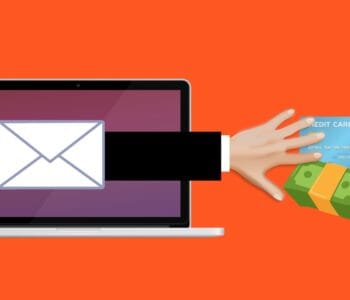
From phishing to smishing (SMS phishing), it’s getting harder to avoid a breach. Individuals often have fewer safeguards in place at home than at work. Yet many are working from home, which puts both personal and company data at risk.
About 46% of businesses saw at least one cybersecurity incident within two months of moving to remote work.
The good news is that there’s no lack of materials on home network security. Many of the steps are straightforward and can help you avoid a data breach at home.
The National Security Agency (NSA) has provided some best practices. These are for securing your home network. We’ll highlight some of the most helpful tips below.
1. Change Default Passwords and Usernames
The first step to secure your home network is to change the default login. This means changing the passwords and usernames of your router and connected devices. Default passwords and usernames are often well-known to hackers. Criminals can easily use them to access your data. Changing these default credentials is an essential step in securing your home network.
2. Enable Encryption
Encryption is a process of encoding information. This is in such a way that only authorized parties can read it. Enabling encryption on your home network is crucial to protect your data. It keeps hackers from intercepting and reading it. Most modern routers support encryption protocols such as WPA2 or WPA3. Ensure that you use the latest encryption standard, which would be WPA3, used in Wi-Fi 6 routers.
3. Update Firmware
The firmware is the software that runs on your router and other connected devices. Manufacturers release firmware updates to fix security vulnerabilities and add new features. Updating the firmware on your router is important to securing your home network. You can usually check for firmware updates from the router’s web interface. You can also find updates on the manufacturer’s website.
This is critical to remember because a lot of people never do this. They only see the router app during setup and rarely go back unless there is a need. Set a calendar item to check your router app at least once per month for updates.
4. Enable a Firewall
A firewall is a network security system that monitors and controls network traffic. This includes both incoming and outgoing traffic. Enabling a firewall on your router can help protect your network. It defends against malicious traffic and unauthorized access. Most modern routers have a built-in firewall. You can typically enable this through the router’s web interface.
5. Disable Unused Services
Most routers come with a range of services that manufacturers enable by default. These services can include file sharing, remote management, and media streaming. Disabling any unused services can reduce the risk of a hacker exploiting them. They often use these services to gain access to home networks. Only enable services that you need and are essential for your network.
6. Secure Wi-Fi Network
Your Wi-Fi network is one of the most critical aspects of your home network. Securing your Wi-Fi network involves several steps. These include:
- Changing the default SSID (network name)
- Disabling SSID broadcast
- Enabling MAC address filtering
- Disabling WPS (Wi-Fi Protected Setup)
These steps can help prevent unauthorized access to your Wi-Fi network. If you need help with these steps, just let us know. We can save you some time and frustration and ensure your network is properly secured.
7. Use Strong Passwords
Passwords are a critical component of any security system. Using weak or easily guessable passwords can make your network vulnerable. Ensure that you use strong passwords for your router and other connected devices. A strong password should be at least 12 characters long. It should also include a combination of upper and lowercase letters. As well as at least one number and one symbol.
8. Create a Guest Network
Do you have guests, such as your children’s friends, who need to access your Wi-Fi network? If so, create a separate guest network. A guest network is a separate Wi-Fi network that guests can use. This gives them access the internet without accessing your primary network. This can help protect your primary network from potential security threats.
9. Limit Physical Access
Physical access to your router and other connected devices can be a security risk. Ensure that you place your router in a secure location, such as a locked cabinet or a room with limited access. Also, ensure that you disable physical access to the router’s web interface. Especially if you have guests or children who may tamper with the settings.
Schedule a Home Cybersecurity Visit Today
Securing your home network is essential for protecting your personal data from threats. By following the best practices, you can ensure that your network is better protected.
Want to save some time and have us do the heavy lifting? Give us a call today to schedule a home cybersecurity visit.
This Article has been Republished with Permission from The Technology Press.