 Cybersecurity
6 Immediate Steps You Should Take If Your Netflix…
Netflix is one of the most popular and well-known streaming services. It has nearly 231 million subscribers around the world. It has been growing steadily for almost a decade.
The platform has become an essential part of many people’s daily entertainment routines. They fire up their devices, log in, and pick right back up on their favorite shows.
Unfortunately, like any online service, Netflix accounts can be vulnerable to hacking. It’s a baked-in risk when you have a service that is only protected by a username and password.
If you experience an account hack, it can be shocking, confusing, and infuriating. You may not know exactly what to do and may react without thinking first. This is a dangerous space to be in because it can cause you to do things that only make things worse.
In this article, we’ll give you the steps to take when you suspect someone has hacked your Netflix account. Let’s first cover how hackers typically operate when deploying an account takeover.
How Does a Netflix Hack Typically Work?
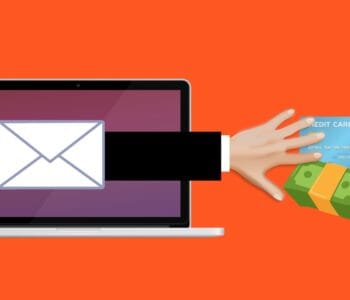
Phishing overload is a problem that hackers take advantage of in these types of breaches. People receive fake emails all the time that spoof brands like Netflix. One common phishing ploy is an email stating, “There has been suspicious activity on your account.” It will include a link to log in to a spoofed site that looks like the brand’s normal login page. This is a classic trick to steal your login credentials.
Hacked Netflix accounts typically go for $12 each on the dark web.
People get numb to these emails because they get so many of them. They tend to tune them out, knowing that clicking on them could be dangerous. Hackers take advantage of this, hoping you’ll ignore the real ones from Netflix that warn you of a suspicious login (theirs!).
They lay low and don’t take any action yet that will lock you out. They wait for you to receive a few more of these emails, so you’ll completely ignore them. Then they attempt a takeover.
Accounts hacks can go in various ways. Here is one typical scenario of a Netflix hack:
- The account owner gets an email about a suspicious login. Often it will be from a different country.
- They may log into their Netflix account to see if there are any unknown devices logged in. Usually, none will show yet. The hacker logs back out. The goal is to get you to check and see that nothing is wrong, and assume the real notice is phishing.
- This same scenario may happen 2-4 more times in the span of a month.
- Once the hacker feels the user is ignoring the Netflix warnings, they’ll make their move.
- They add their credit card to your account. This is so they can call Netflix and give them a method of verification.
- They may increase your subscription plan to a higher level.
- They also usually replace any user profile names on your account with numbers (1, 2, 3, etc.)
- At this point, the account owner will typically receive an email. It will note a change in account information. This could be the account email, password, phone number, etc.
- The hacker is now trying to lock the account owner out of their account.
What Do You Do If Someone Has Hacked Your Netflix Account?
1. Go to the Netflix site & try to log in.
If you suspect a hacked account, visit the Netflix site directly from your browser. Do not go through a link you received via email, DM, or SMS.
See if you can log in using your password. You may be able to if you caught the hacker before they’ve locked you out. If not, then skip to Step 4 below, calling Netflix support.
2. If you can log in, change your password immediately.
If you can log into your account, change the password right away. Ensure it’s a strong password that is at least 10-12 characters in length. It should also include a combination of letters, numbers, and symbols.
Do not use a variation of the breached password. You should not use any part of your old password to create the new one.
3. If you can log in, remove any strange payment methods
If you can still access your account and settings, go to the payment methods area. Often hackers will add another payment card to your account. They use it to verify the account to Netflix support.
Remove any strange payment method that is not yours. But if you remove your own payment card, you will need another way to verify your account with Netflix. So, at this point, you may want to call before you do that.
4. Call Netflix support. (Don’t skip this step)
Everyone’s experience may be different. Some users that have gone through a hack have praised the fast and helpful support from Netflix.
Contact Netflix support whether you have or have not succeeded in logging in. There may be things the hacker has done that you aren’t aware of. They may have changed subscription information.
Let the support representative know you think you’re the victim of an account hack. They’ll walk you through the process of undoing what the hacker has done.
5. Watch your bank statements.
Continue to watch your bank statements for any unusual charges. You should do this after any account hack.
6. Change the password for other accounts that used the same one as your Netflix account.
People often use the same or the nearly same password for several accounts. Make sure to change the password for any accounts that used the one that was just hacked.
Get Help Securing Your Passwords & Accounts
Don’t wait until a hack happens to you. Give us a call today to schedule a chat about our password security solutions.
This Article has been Republished with Permission from The Technology Press.