Blog
-

Small Business IT Budget: What to Include and How to Plan It
Summary: Your IT budget should include the technology you already use, the support required to maintain it, and the upgrades you expect to make during the year. It should also cover cybersecurity, backups, employee changes, planned projects, and a reserve for urgent repairs or replacements. If your IT budget only covers computers, Microsoft 365, and…
-
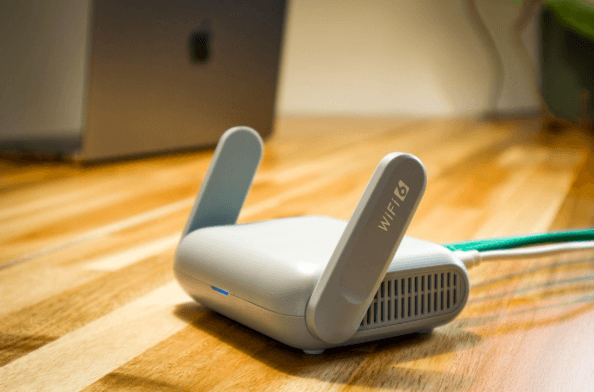
Why Guest Wi-Fi Should Be Separate From Your Business Network
Summary: Guest Wi-Fi should provide internet access while blocking connections to your internal business network. A different Wi-Fi name and password do not confirm that the networks are separated. The router, access points, and firewall must also be configured to prevent guest devices from reaching internal systems. Offering Wi-Fi to customers, contractors, and visitors is…
-

What Happens to Your Data When You Cancel a Cloud Service?
Summary: Before canceling a cloud service, export your data and confirm that the files can be opened or imported. Move any connected applications and sign-ins, then check the provider’s current rules for access, billing, retention, and deletion. A cloud service may hold years of customer records, documents, emails, invoices, project history, or staff activity. If…
Archived posts
-
Cracking Down on Credential Theft: Advanced Protection for Your Business Logins
During an era of digital transformation, data and security are king. That is why, as cyber threats evolve in this age of digital transformation, businesses need to be prepared. Credential theft has become one of the most damaging cyber threats facing businesses today. Whether through well-crafted phishing scams or an all-out direct attack, cybercriminals are…
-
From Gaming to Productivity: How the Newest Black Friday Tech Gadgets Can Boost Your Business
Images of Black Friday no longer merely conjure up visions of bargain-hunting shoppers bullrushing storefronts to secure the best deals. It is now viewed by many organizations as a strategic opportunity to minimize the cost of upgrading their technology infrastructure. Traditionally, Black Friday tech deals surrounded gaming platforms and entertainment technology, but that has changed.…
-
What Your Small Business MUST Know About Data Regulations in 2025
You come into work on Monday, coffee still hot, only to find your email full of urgent messages. An employee wants to know why their login isn’t working. Another says their personal information has shown up in places it shouldn’t. Suddenly, that list of “things to get done” is replaced by one big, pressing question:…