Blog
-

How Hackers Keep Access to Your Email After You Change the Password
Summary: Changing the password blocks someone from signing in with the old password. However, they may still have an active session, a forwarding rule, access through a connected app, mailbox permissions, or a recovery method they added. When someone gets into a business email account, changing the password should happen immediately. Once that is done,…
-
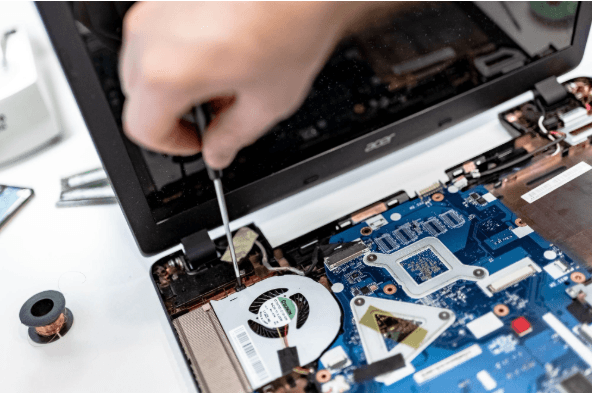
How Long Business Computers Last and When to Replace Them
Summary: Three to five years is a practical replacement range for many business computers. The right time depends on security support, reliability, performance, warranty coverage, repair costs, and the employee’s work. Replace any computer that cannot run a supported operating system or the software your business requires. Most business computers do not fail all at…
-

Small Business IT Budget: What to Include and How to Plan It
Summary: Your IT budget should include the technology you already use, the support required to maintain it, and the upgrades you expect to make during the year. It should also cover cybersecurity, backups, employee changes, planned projects, and a reserve for urgent repairs or replacements. If your IT budget only covers computers, Microsoft 365, and…
Archived posts
-
Is Your Smart Office a Security Risk? What Small Businesses Need to Know About IoT
Your office thermostat, conference room speaker, and smart badge reader are convenient, but they’re also doors into your network. With more devices than ever in play, keeping track can be tough, and it only takes one weak link to put your entire system at risk. That’s why smart IT solutions matter now more than ever.…
-
Invest Smart, Grow Fast: Your Small Business Guide to IT Expense Planning
Without realizing it, technology can drain your business budget. One day, everything seems manageable, and the next, you’re left wondering where all these unexpected costs are coming from. Expenses pile up quickly and become tough to track. Whoever said running a business would be easy? Here’s the good news: you don’t need to spend thousands…
-
Data Quality is Your Small Business’s Secret Weapon
Nobody builds a house on a weak foundation, so why operate your business based on unreliable data? According to research, bad data costs US firms over $3 trillion every year, and roughly 40% of company goals fail as a result of inaccurate information. Data is everywhere, and if you are not utilizing it to your…