Blog
-

How Hackers Keep Access to Your Email After You Change the Password
Summary: Changing the password blocks someone from signing in with the old password. However, they may still have an active session, a forwarding rule, access through a connected app, mailbox permissions, or a recovery method they added. When someone gets into a business email account, changing the password should happen immediately. Once that is done,…
-
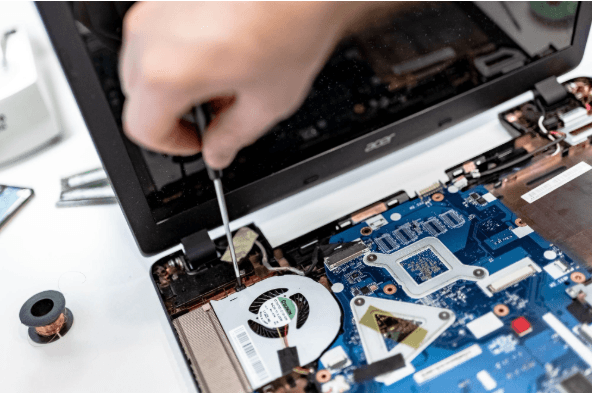
How Long Business Computers Last and When to Replace Them
Summary: Three to five years is a practical replacement range for many business computers. The right time depends on security support, reliability, performance, warranty coverage, repair costs, and the employee’s work. Replace any computer that cannot run a supported operating system or the software your business requires. Most business computers do not fail all at…
-

Small Business IT Budget: What to Include and How to Plan It
Summary: Your IT budget should include the technology you already use, the support required to maintain it, and the upgrades you expect to make during the year. It should also cover cybersecurity, backups, employee changes, planned projects, and a reserve for urgent repairs or replacements. If your IT budget only covers computers, Microsoft 365, and…
Archived posts
-
Spotting the Difference Between Malware and Ransomware
Malware and ransomware are two types of bad software. They can damage your computer or steal your data. Downloading this harmful software comes with serious consequences. In 2024, there were more than 60 million new strains of malware found on the internet. This is why it’s critical to understand the difference between them. This article…
-
7 Ways Using AI for Work Can Get Complicated
AI is going to change how we work. It can make some tasks easier. But it can also cause problems. Let’s look at some ways AI can make work tricky. What is AI and how does it affect work? AI stands for Artificial Intelligence. The computer systems are actually able to do the things that…
-
8 Ways to Organize Your Devices for Productivity
Our devices are a big part of our daily lives: work, fun, and staying in touch. Still, sometimes they make us less productive. In this article, you will learn how to organize your device. You’ll learn ways to boost your productivity and get more done. Why is device organization important? Messy devices slow us down…